

Settings
Settings is your account area — the things that follow you everywhere in Uniweb, as opposed to the settings that belong to one website. Reach it from the top navigation.
What's in Settings
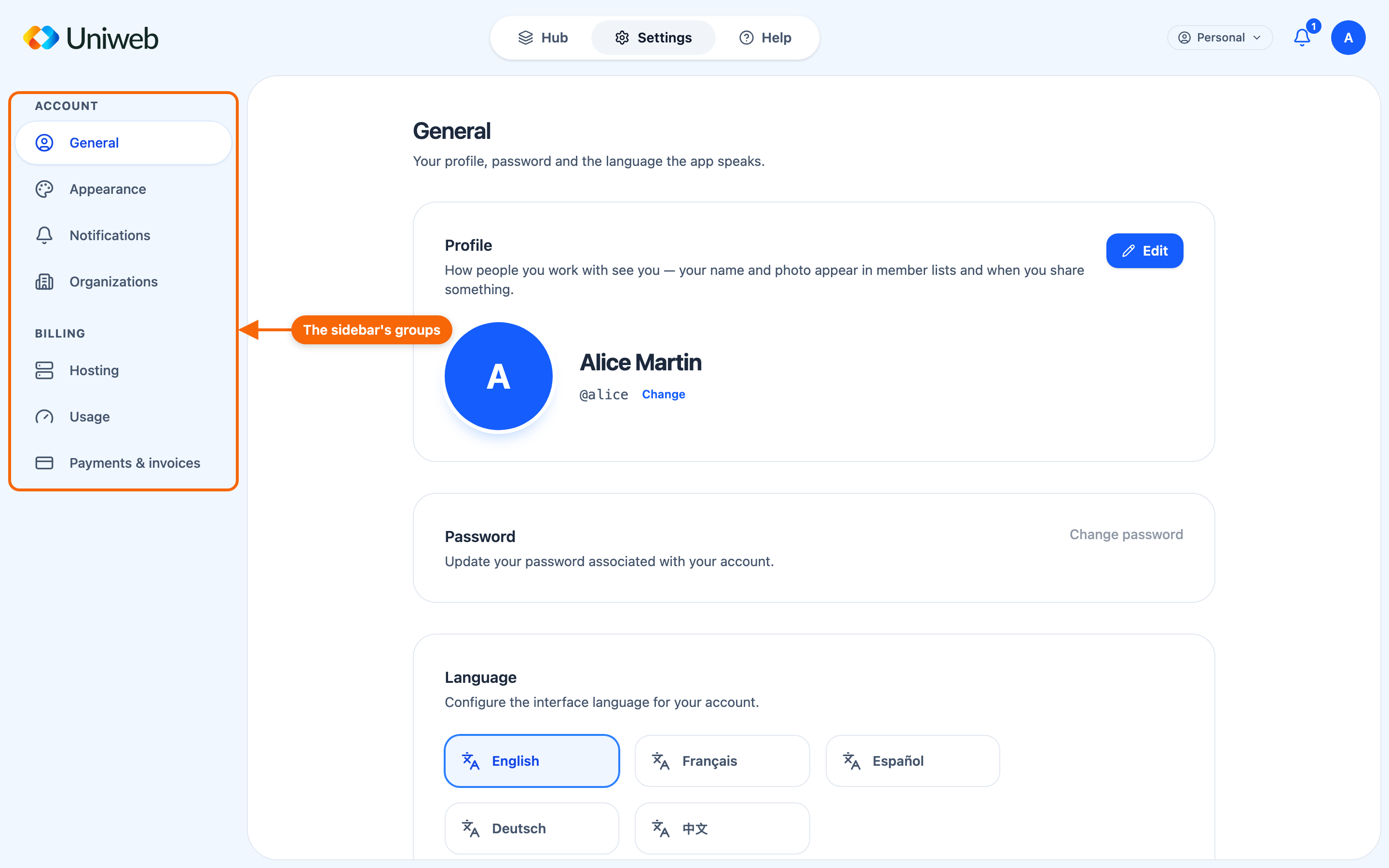
The sidebar has three groups.
Account
- General — your profile (display name, photo, handle), your password, and the language the app uses — English, Français, Español, Deutsch or 中文 (Simplified Chinese). It is saved to your account, and changing it reloads the app in that language.
- Appearance — how the app itself looks: Display mode (Light or Dark) and an Accent color. This is separate from a site's own theme.
- Notifications — what Uniweb emails you about, which includes an organization invitation and its answer, being added to a project, a site transfer offered to you or answered, and a digest of unread form submissions (each site also sets its own schedule, in its Inbox). The email about a failed payment is always sent. These are emails only — the notification bell in the app is separate, and you clear a notification there by dismissing it. Something shared with you, or no longer shared, appears in the bell and is not emailed.
- Organizations — the organizations you belong to, switching between them, and starting a new one.
Workspace
- Members — the people in your organization. ⚠️ This group appears only when you are working in an organization; in a personal workspace there is nothing to manage and the group is hidden. See Organizations.
Billing
- Hosting — the subscriptions that keep your published sites live.
- Usage — what your workspace holds and is allowed: storage and translation credits, with Add capacity.
- Payments & invoices — your cards and billing history. See Billing.
See Account and plans for storage and packs, and Signing in and your account for passwords and sign-in.
What you cannot do here yet
These come up often enough to be worth stating plainly:
| Change your email | Not available in the app. |
| Change your password | The control is there but not yet active — it is marked Coming soon. |
| Set up two-factor authentication | There is no enrolment screen. If your account already has two-factor set up, the sign-in page asks for a code. |
| Close or delete your account | Not available in the app. You can leave an organization, which is a different thing. |
In your profile you can change your display name and add a photo. Your handle (the @name under it) changes with Change: type the new one and Save. "Your current handle stays reserved for you for 30 days." A handle can't be changed while something is registered under it.
Account settings vs a site's settings
A frequent point of confusion, and the rule is simple: Settings is about you; a website's own settings are about that website.
| Settings (this page) | A website's settings | |
|---|---|---|
| Scope | Your account, everywhere | One website |
| Examples | Your profile, app appearance, notifications, billing | That site's domain, languages, favicon, features, collaborators, publishing |
If you are looking for a site's domain, languages or features, open that site and use its own settings — see Site settings. A site's colors and fonts are in its editor's Preview → Global Theme. If you are looking for billing or your profile, you want Settings.