

Pages and sections
Pages and sections are what you work with every day. This page explains what they are and how they relate; the Editor guide covers how to actually create and arrange them.
Pages
A page is one address on your site. Pages are arranged in a hierarchy, and that hierarchy becomes your site's navigation.
Home          →  /
About         →  /about
Blog          →  /blog
Blog ▸ My Post →  /blog/my-post
In the Editor you create pages, nest them under one another, reorder them, and choose which appear in navigation. See Pages and navigation.
Sections
A section is a unit of content on a page. Each section has:
- a type — Hero, Features, Team directory, Contact form, and so on;
- content you write — text, images, videos, documents;
- options you set — layout variant, display toggles, style choices;
- a look that comes from your design system, not from you.
A page is just a stack of sections. You compose a page by choosing which section types to use, writing the content for each, and arranging the order. Reordering sections is the easiest way to experiment with how a page reads — put the FAQ before the features, or after, and see which flows better.
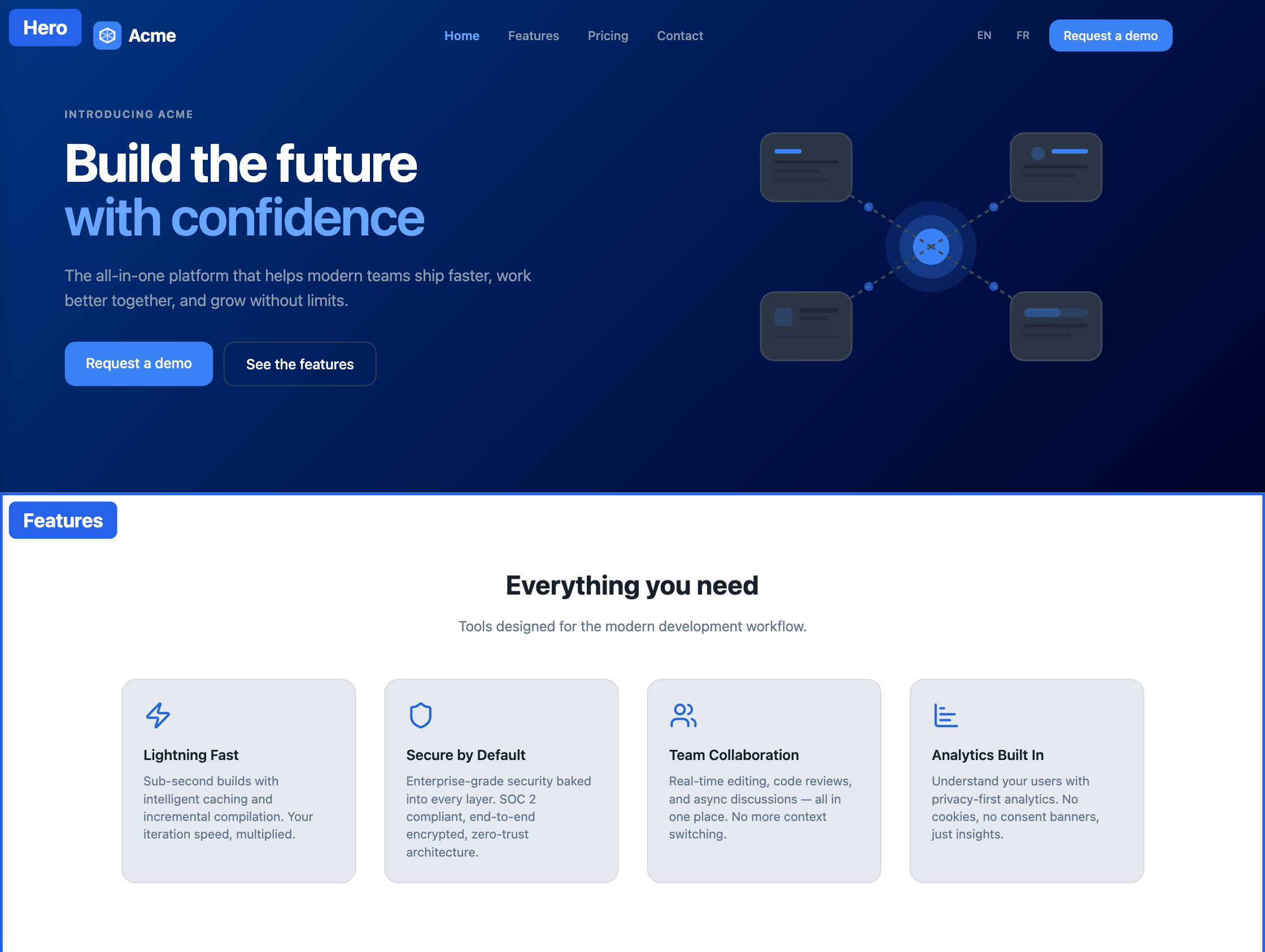
Section types come from your Foundation
You don't invent section types — you choose from the ones your Foundation (design system) provides. A marketing Foundation offers marketing sections; an academic Foundation offers publication lists and people directories. When you add a section, the list you pick from is your Foundation's set of section types.
This is why the section options you see are exactly what they are: each section type offers the options its designer built into it. If an option you want isn't there, the design system doesn't offer it — that keeps every site using that Foundation consistent. See Foundations and templates.
How do I know what a section expects?
Every section type tells you what content it is built for — many show an Expected content strip above the section, a newly added section can arrive with Starter content that demonstrates a good fit (a switch in the add dialog, on by default), and anything a section does not use is simply ignored rather than breaking the page.
The full account is in Working with sections.
Sections you don't think of as "pages": header, footer, panels
Your site's header, footer, and side panels are built from sections too — the same way a page is. The difference is that they appear on every page by default. Which of these areas exist depends on your Foundation: a marketing site might use a header and footer; a documentation site might use a header and a left panel for navigation. See Header, footer, and panels.
The relationship in one line
You work with sections. The section type decides what a section is for. The Foundation provides the section types and decides how they look. You choose, write, and arrange; the Foundation handles the design.